1
Start a project
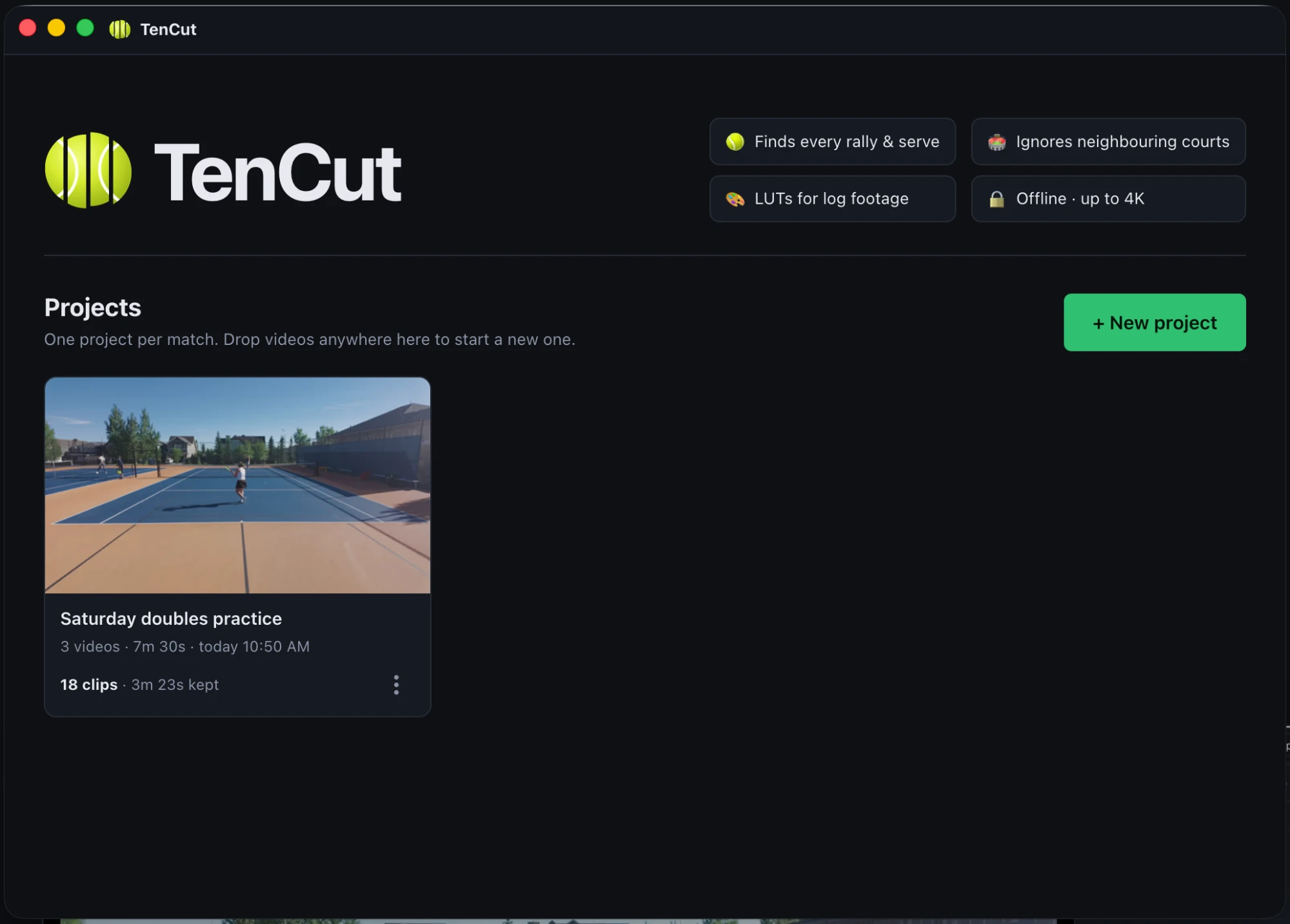
Click New project or drop in your recording – one file or all the parts of a split recording. MP4, MOV or MKV, any length, up to 4K 10-bit.
Your projects stay on the home screen to reopen any time.

TenCut finds every point in a long match recording – serves, faults and rallies – and cuts out the dead time: ball collection, walking back, changeovers. Review, tweak, export. Everything runs on your computer.
Free for Mac & Windows
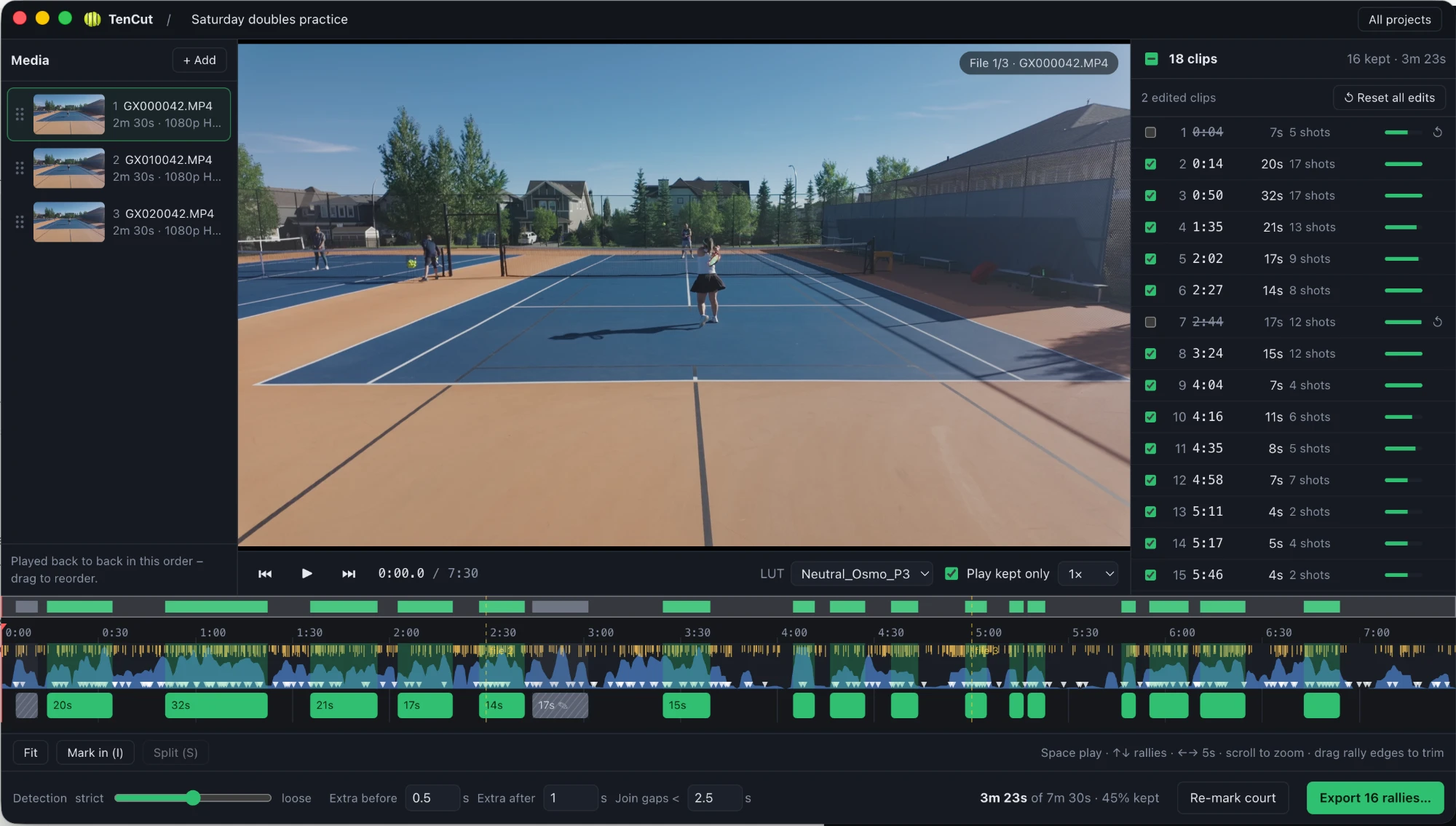
The editor: the match's recordings on the left, every detected point on the right, and a timeline to preview, trim or remove clips.
One camera on a fence, other courts in the background, an hour or more of 4K. That's the footage TenCut is made for.
Tracks the ball, follows both players' strokes with a pose model and listens for racket hits – then snaps each clip from just before the serve to when the last shot lands.
Detects the toss and serve, so faults stay in your edit too – the whole match, minus the waiting.
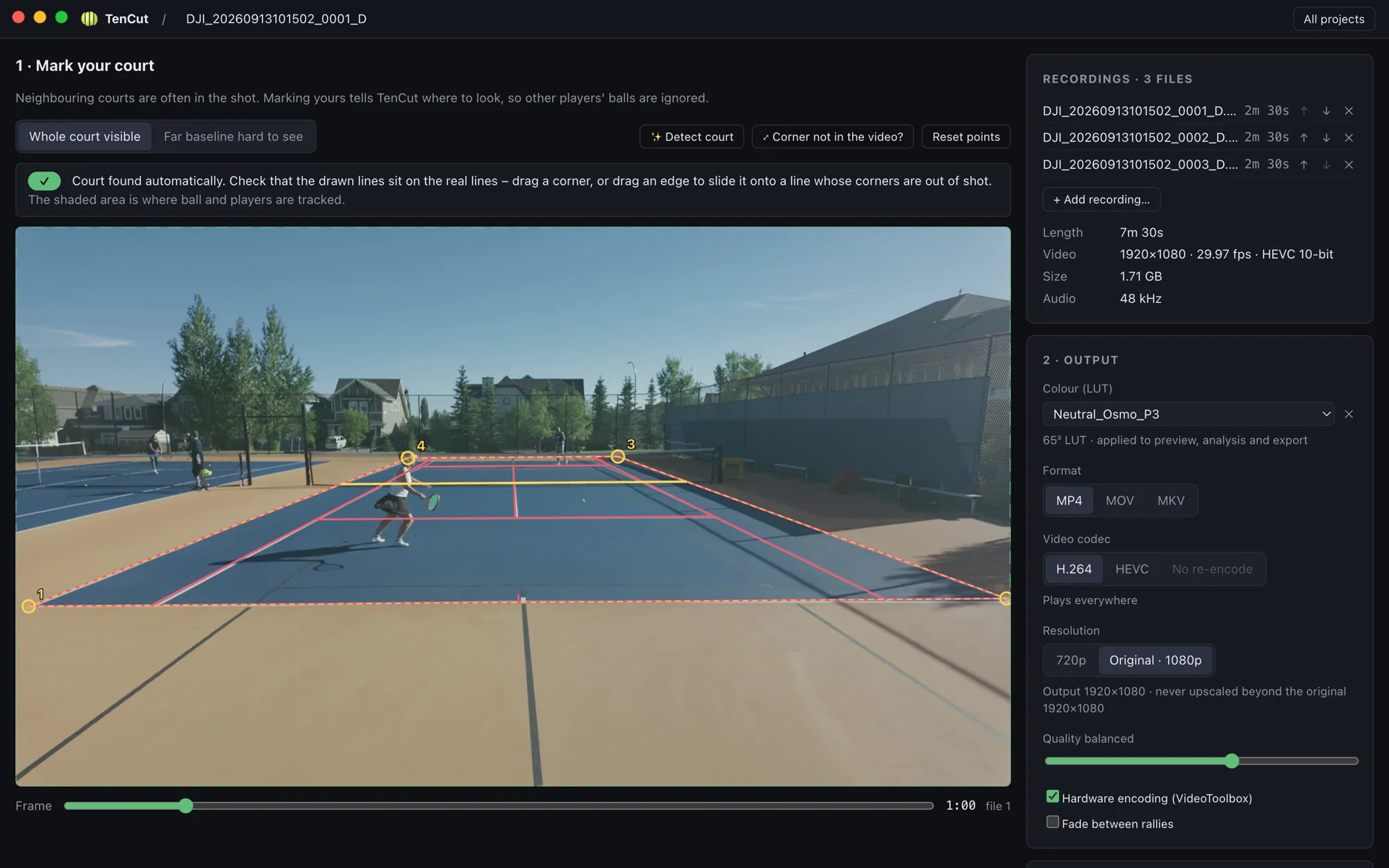
Your court is found automatically – even when its corners are out of shot – and balls and players on neighbouring courts are left out. Drag a corner or a whole line to adjust.
Shoot D-Log or S-Log? Load a .cube LUT once – it's applied to the preview, the analysis and the export, and remembered for next time.
Your matches live on the home screen with thumbnails and kept time. Reopen, rename or duplicate a project – your edits are saved as you go.
Cameras split long recordings into several files. Add, remove and drag to reorder them in the Media panel; they play as one continuous match.
Untick, trim, split or add clips; edits follow their footage when you reorder files, and one click resets everything back to detection.
No uploads, no account. Hardware-accelerated decoding and encoding; a 1-hour 4K match is analysed in minutes.
Four steps from a 17 GB recording to a highlights-length video of the whole match.
Click New project or drop in your recording – one file or all the parts of a split recording. MP4, MOV or MKV, any length, up to 4K 10-bit.
Your projects stay on the home screen to reopen any time.
TenCut finds the lines of the court you played on by itself, so the analysis can ignore everything else.
Every detected point is listed and drawn on the timeline.
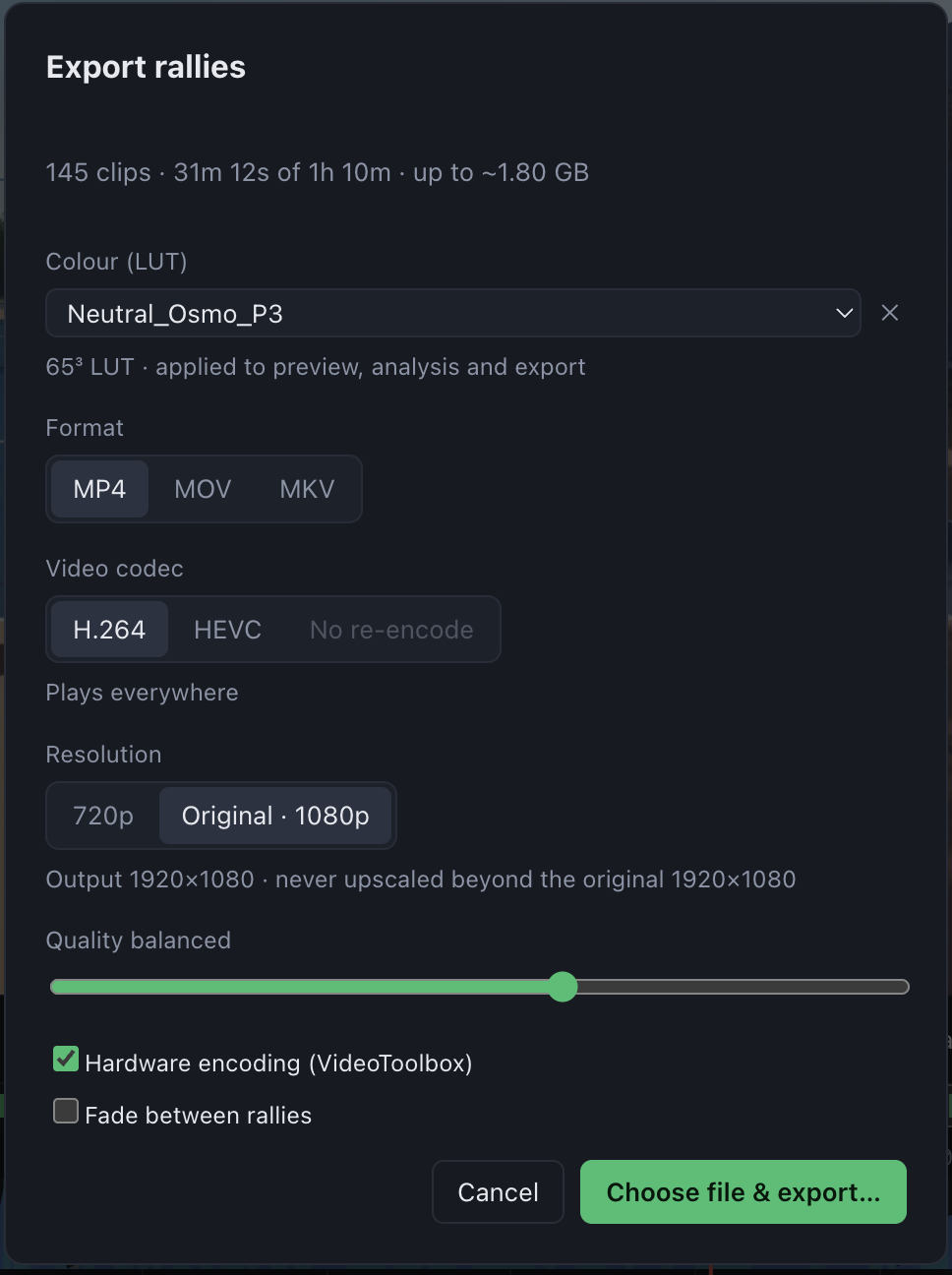
H.264 or HEVC, MP4/MOV/MKV, from 720p up to the original resolution – never upscaled. Your LUT is applied, and hardware encoding keeps it fast.
Or skip re-encoding entirely for the fastest, original-quality cut.
TenCut isn't signed with paid developer certificates yet, so your system asks once before the first launch.
Open the .dmg and drag TenCut to Applications. On first launch, right-click the app → Open → Open.
Run the installer. If SmartScreen appears, click More info → Run anyway. An NVIDIA, Intel or AMD GPU is used for fast exports when available.